


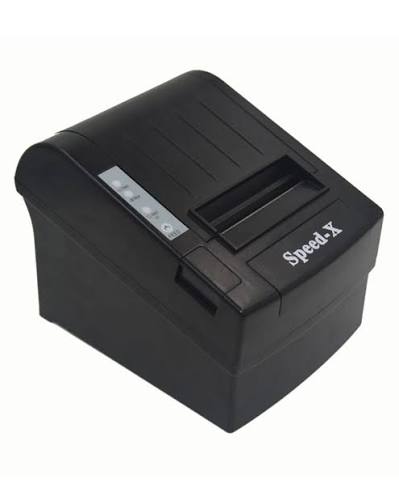
Thermal printers are widely used in retail, logistics, healthcare, manufacturing, hospitality, and many other industries. They produce receipts, product labels, shipping documents, barcodes, and identification tags with speed and consistency. However, not all thermal printers deliver the same results. Factors such as resolution, printing speed, media compatibility, and printhead performance determine how clearly and efficiently a printer produces information.
Understanding these specifications is important when selecting equipment for a particular business application. A printer designed for high-volume receipt printing may have different performance characteristics from one used for small product labels or detailed barcodes. Choosing the right Thermal Printer requires looking beyond basic specifications and understanding how resolution, speed, and print quality work together.
What Is Thermal Printer Resolution?
Resolution refers to the level of detail a printer can reproduce. It is commonly measured in dots per inch (DPI), which indicates how many individual dots the printhead can produce across one inch.
A higher DPI generally allows a printer to produce finer details, smaller text, and sharper graphics. However, the appropriate resolution depends on the intended application rather than simply choosing the highest available specification.
Common Thermal Printer Resolutions
Several resolution levels are commonly available in thermal printing equipment.
- 203 DPI: A common resolution for standard receipts, shipping labels, product identification, and many everyday barcode applications.
- 300 DPI: Suitable for smaller text, detailed graphics, compact labels, and applications requiring greater precision.
- 600 DPI: Used for specialized applications involving very small characters, intricate graphics, or highly detailed label information.
Not every business needs a high-resolution printer. For example, a retail store printing ordinary receipts may find 203 DPI sufficient, while a manufacturer producing small electronic component labels may benefit from 300 DPI or higher.
How Resolution Affects Print Quality
Print resolution directly influences how clearly information appears on paper or labels. Higher resolution allows the printer to place more dots within a given area, improving its ability to reproduce fine details.
Text Clarity
Small fonts can become difficult to read when printed at insufficient resolution. Higher DPI can help preserve the shape of individual characters, particularly on compact labels.
For standard receipts and larger text, a lower resolution may provide adequate readability without requiring additional processing or more expensive equipment.
Barcode Precision
Barcode quality depends on accurate bar dimensions, spacing, contrast, and printing consistency. A suitable resolution helps reproduce narrow barcode elements without distortion.
For small barcodes, higher resolution may be necessary to maintain accurate dimensions. However, DPI alone does not guarantee successful scanning. The barcode format, label material, print darkness, and scanner capabilities also matter.
Graphics and Symbols
Logos, icons, and detailed product graphics require accurate dot placement. Higher-resolution printing can improve the appearance of these elements, especially when they contain thin lines or small details.
Businesses that mainly print simple text and standard barcodes may not benefit significantly from higher resolution.
Understanding Thermal Printer Printing Speed
Printing speed describes how quickly a printer produces printed material. It is commonly measured in millimeters per second (mm/s) or inches per second (ips), depending on the manufacturer and printer category.
Speed is particularly important in businesses that process large numbers of transactions or produce many labels throughout the day.
Why Printing Speed Matters
A printer with an appropriate speed can help reduce waiting times and improve workflow efficiency.
For example, a busy supermarket may need a receipt printer that can produce transaction records quickly. A warehouse may require a label printer capable of handling frequent shipping and inventory labels without creating production delays.
However, the highest available speed is not always the best choice. Some printing applications require greater accuracy, and running the printer too quickly may affect the quality of small text or detailed graphics.
Factors That Influence Printing Speed
Several factors determine how quickly a thermal printer can operate:
- Printer design: Different models have different mechanical and processing capabilities.
- Resolution: Higher-resolution printing may require additional processing or slower operation, depending on the model.
- Media type: Certain paper and label materials require specific operating conditions.
- Print darkness: Higher darkness settings can influence recommended speed and printhead temperature.
- Content complexity: Detailed graphics and large amounts of data may take longer to process.
- Connection method: Communication delays can affect how quickly print jobs reach the device.
When comparing specifications, businesses should check the manufacturer’s rated speed and the conditions under which it was measured.
The Relationship Between Resolution and Printing Speed
Resolution and speed are closely related performance considerations. A printer must position heating elements accurately while moving the printing material through its mechanism.
In some models, increasing the resolution or printing more detailed content can affect the maximum practical speed. This means businesses may need to balance output quality with production requirements.
For example, a warehouse printing standard shipping labels may prioritize speed because labels contain relatively large text and barcodes. A business producing small pharmaceutical or electronic component labels may place greater importance on detail and readability.
The best configuration depends on the required output rather than selecting maximum speed and resolution independently.
What Determines Thermal Printer Print Quality?
<AsyncImage query=”high quality thermal label printer producing crisp sharp barcode product labels close up” aspectRatio=”16:9″ width=”100%”/>
Resolution is important, but it is only one part of print quality. Other technical and environmental factors can influence the final result.
1. Printhead Condition
The printhead contains heating elements that create the printed image. Dirt, adhesive residue, scratches, or damaged elements can cause faded areas, missing lines, and inconsistent printing.
Regular cleaning helps maintain consistent output. If the same defects remain after cleaning, the printhead may require professional inspection or replacement.
2. Print Darkness
Print darkness determines how much heat is applied to the printing material. If the setting is too low, text and barcodes may appear faded. If it is too high, the output may become excessively dark or distorted.
The correct setting depends on the printer, media, and application. Users should make small adjustments and inspect test prints rather than selecting the maximum darkness level.
3. Printing Media
Thermal paper and labels vary in coating, thickness, surface quality, and sensitivity to heat.
Using unsuitable media can result in inconsistent darkness, poor image definition, or premature fading. Businesses should choose materials compatible with their printer’s specifications.
4. Printhead and Roller Contact
The printhead and platen roller work together to maintain consistent contact with the printing material. Uneven pressure or a damaged roller can produce inconsistent output.
Regular inspection helps identify worn or contaminated components before they significantly affect print quality.
5. Environmental Conditions
Temperature, humidity, dust, and direct sunlight can influence printing materials and equipment performance.
For example, direct thermal labels may become darker when exposed to excessive heat. Paper stored in unsuitable conditions may also deteriorate before use.
Direct Thermal vs. Thermal Transfer Print Quality
Both direct thermal and thermal transfer technologies use heat, but they create printed images differently.
| Feature | Direct Thermal | Thermal Transfer |
|---|---|---|
| Printing method | Heat activates coated media | Heat transfers ink from a ribbon |
| Ink or ribbon | No ribbon required | Requires a compatible ribbon |
| Common materials | Direct thermal paper and labels | Paper and synthetic labels |
| Image durability | Depends on media and exposure | Depends on ribbon and label combination |
| Typical applications | Receipts, short-term labels, shipping labels | Product labels, asset tags, durable identification |
Direct thermal printing is convenient for applications where labels or receipts do not need to remain readable for extended periods under demanding conditions.
Thermal transfer printing is often preferred when businesses need more durable labels that can withstand specific environmental or handling conditions. The actual durability depends on the combination of ribbon, label material, and operating environment.
Choosing the Right Resolution for Different Applications
<AsyncImage query=”thermal printing applications retail receipt shipping barcode warehouse product labels” aspectRatio=”16:9″ width=”100%”/>
The ideal resolution varies according to the type of information being printed and the size of the printing material.
Retail Receipts
Retail businesses generally print transaction details, prices, dates, and payment information. A standard resolution is often sufficient because receipts usually contain readable text rather than intricate graphics.
Printing speed may be a more important consideration in busy checkout environments.
Shipping and Logistics Labels
Shipping labels contain addresses, tracking numbers, and barcodes. A standard resolution can work well for many label formats, provided that the barcode size and print quality meet scanning requirements.
Higher resolution may be useful for compact labels or smaller barcode elements.
Product Identification Labels
Manufacturers often print product codes, descriptions, serial numbers, and regulatory information. The appropriate DPI depends on the label size and the amount of information included.
Smaller labels with dense content may benefit from higher resolution.
Healthcare Labels
Healthcare environments may require clear printing of patient identification, specimen information, and medication labels. Readability and accuracy are essential.
Businesses should select a resolution that supports the required text size and barcode specifications.
Electronic Component Labels
Electronic components can require very small identification labels containing compact text and detailed codes. Higher-resolution printing may help maintain readability when working with limited label space.
How to Balance Speed and Quality
Selecting a thermal printer involves finding a practical balance between output clarity and production efficiency.
The following considerations can help businesses identify a suitable configuration.
Evaluate daily printing volume. Estimate how many receipts or labels the business produces during normal and peak operating periods. This helps determine the required printing speed and duty cycle.
Consider the smallest printed elements. Review the size of text, barcodes, and symbols that must remain readable. Small content may require higher resolution.
Test the actual media. Different paper and label materials can produce different results. Testing representative samples helps identify suitable printer settings.
Review the working environment. A printer used in a dusty warehouse may have different maintenance requirements from one installed at a clean retail checkout counter.
Check software compatibility. Label design applications, barcode systems, and POS software should support the printer’s resolution and output capabilities.
Consider future requirements. Businesses expecting changes in label size, product identification, or printing volume should select equipment with enough capacity for anticipated needs.
Common Mistakes When Evaluating Thermal Printer Specifications
Some purchasing decisions focus too heavily on one specification and overlook other factors that influence performance.
Choosing the Highest DPI Without a Clear Need
Higher resolution can be useful, but it may increase equipment costs without providing meaningful benefits for simple receipts or standard labels.
Prioritizing Speed Over Readability
A high-speed printer may not be suitable if it produces unclear small text or poorly defined barcodes at the selected settings.
Ignoring Media Compatibility
Even a printer with strong technical specifications can produce poor results when used with incompatible paper, labels, or ribbons.
Overlooking Maintenance Requirements
Printhead cleaning, roller inspection, and appropriate storage of consumables are essential for maintaining consistent output over time.
Comparing Specifications Without Testing
Rated performance provides useful information, but real-world results depend on the media, content, software, and operating conditions. Sample testing provides a more practical basis for comparison.
Practical Tips for Maintaining Consistent Print Quality
Proper maintenance can help preserve resolution performance and prevent avoidable printing defects.
- Clean the printhead according to the manufacturer’s instructions.
- Inspect the platen roller for dirt, wear, or damage.
- Use compatible thermal paper, labels, and ribbons.
- Avoid excessive darkness settings.
- Store consumables in suitable temperature and humidity conditions.
- Check barcode readability with the scanners used in daily operations.
- Keep printer firmware and drivers updated when compatible updates are available.
- Follow the manufacturer’s recommended operating and maintenance procedures.
Businesses should also monitor print samples regularly. Identifying faded text, missing lines, or barcode defects early can prevent larger batches of unusable output.
Conclusion
Thermal printer resolution, speed, and print quality are closely connected factors that influence the effectiveness of everyday printing operations. Resolution determines the level of detail a printer can reproduce, while printing speed affects how quickly receipts and labels are produced. Printhead condition, media compatibility, darkness settings, and environmental conditions also contribute to the final result.
The right combination depends on the intended application. Retail businesses may prioritize fast receipt printing, while manufacturers and logistics providers may require greater barcode precision or detailed product labels. By evaluating actual printing requirements, testing compatible materials, and maintaining equipment properly, businesses can achieve a practical balance between clarity, speed, and long-term reliability.


