


Choosing the right receipt printer is an important decision for businesses that process regular customer transactions. Retail stores, restaurants, supermarkets, pharmacies, and service providers all depend on accurate transaction records to support payment processing and customer service. However, their printing requirements can differ significantly depending on transaction volume, available workspace, software systems, and daily operating conditions.
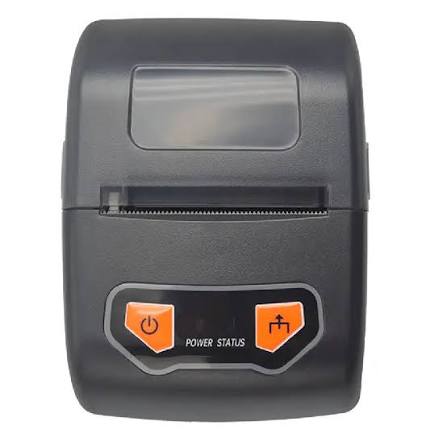
When comparing available printing solutions, businesses should evaluate equipment according to their actual operational needs rather than focusing only on price or advertised specifications. An Xprinter Receipt Printer may be considered as part of this process, but selecting an appropriate model requires understanding its features and how they relate to the business environment. A structured evaluation can help organizations avoid compatibility issues and unnecessary equipment costs.
Identify Your Business’s Receipt Printing Requirements
The first step is to understand how receipt printing fits into daily operations. A small retail shop may print a few hundred receipts each day, while a supermarket or busy restaurant may handle substantially higher transaction volumes.
Businesses should consider the number of receipts printed during normal operating hours, the expected demand during peak periods, and the number of checkout stations requiring printers. These details provide a practical starting point for comparing different models.
It is also useful to identify what information appears on each receipt. Some businesses need basic payment summaries, while others require detailed item descriptions, tax information, discounts, and additional transaction references.
Consider the Type of Business Environment
Different industries place different demands on receipt printing equipment. Understanding the working environment helps narrow down suitable printer specifications.
Retail Stores
Retail businesses generally need printers that integrate with POS terminals and produce clear transaction summaries. Supermarkets and larger stores may prioritize printing speed and reliable performance during busy checkout periods.
Smaller shops may place greater importance on compact dimensions, simple installation, and affordable maintenance. The appropriate choice depends on the number of transactions and the available checkout space.
Restaurants and Cafés
Restaurants often use receipt printers for customer bills and, depending on their POS configuration, order-related workflows. A restaurant may require printing at multiple stations, such as the cashier counter and kitchen.
Businesses should consider whether direct USB connections or network-based printing better suit their layout. They should also verify that the printer works with the restaurant’s POS software.
Pharmacies and Service Providers
Pharmacies, repair shops, salons, and other service businesses use receipts to document payments and provide customers with transaction references. These organizations may need printers that produce readable text consistently and work with specialized billing or management applications.
Software compatibility and the ability to print the required receipt format should be evaluated before purchasing equipment.
Evaluate Printing Technology and Performance
Receipt printers use different printing technologies, with direct thermal printing being common in modern POS environments. Direct thermal printers create images by applying heat to specially coated paper, eliminating the need for ink cartridges or ribbons.
This technology can simplify routine supply management, although thermal paper must be replaced regularly. Businesses should confirm whether a particular printer uses direct thermal technology and review its operating requirements.
Printing Speed
Printing speed affects how quickly employees can provide transaction records. High-volume businesses may benefit from faster printing because it can help reduce waiting times during busy periods.
However, maximum speed should not be the only consideration. Businesses should also assess print quality, reliability, and compatibility with their transaction software.
Print Resolution
Print resolution influences the clarity of text, numbers, and symbols. Clear receipts make it easier for customers and employees to review prices, payment details, and transaction references.
Organizations that print dense receipts or detailed information should check the printer’s resolution and test sample output before making a decision.
Paper Width and Roll Capacity
Receipt printers support specific paper widths and roll dimensions. Businesses should select a model that accommodates their preferred receipt format and confirm that compatible paper is readily available.
Larger paper rolls may reduce how frequently employees need to replace them, which can be useful in busy environments. However, the supported roll diameter and paper specifications must match the selected printer.
Check Connectivity and POS Compatibility
Connectivity is one of the most important factors when selecting a receipt printer. The equipment must communicate correctly with the business’s existing computers, POS terminals, and other connected devices.
Common connection options include:
- USB: Suitable for direct connections to computers and individual POS terminals.
- Ethernet: Useful for network-based printing and installations involving multiple workstations.
- Serial: Available in some systems that use older or specialized POS equipment.
- Bluetooth: Can support wireless connections with compatible devices.
- Wi-Fi: May provide network flexibility where supported by the specific model.
Not every model includes all these interfaces. Businesses should check the exact specifications rather than assuming that a printer supports a particular connection.
They should also confirm operating system support, driver availability, POS software compatibility, and supported printer command languages. Testing the printer with the actual business system before large-scale deployment can help identify potential problems.
Assess Installation Space and Working Conditions
Physical design can influence how conveniently a receipt printer fits into a business environment. Checkout counters, reception desks, and restaurant service stations often contain several devices, making space an important consideration.
Before purchasing, measure the available installation area and compare it with the printer’s dimensions. Consider where paper rolls will be replaced, how employees will access the printer, and whether cables can be arranged safely.
The operating environment also matters. Dust, heat, moisture, and frequent handling may affect equipment performance. Businesses should review the manufacturer’s operating specifications and choose an installation location that meets the recommended conditions.
Compare Maintenance Requirements and Operating Costs
The initial purchase price does not represent the full cost of owning a receipt printer. Businesses should also consider consumables, cleaning requirements, replacement parts, technical support, and expected service life.
Thermal printers do not require traditional ink or toner, but they depend on compatible thermal paper. Paper quality can influence print clarity and equipment performance, so businesses should avoid using unsuitable rolls.
Routine maintenance can help reduce operational interruptions. Recommended practices include:
- Cleaning the print head according to manufacturer instructions.
- Removing dust and paper residue from the paper path.
- Checking cables and connectors regularly.
- Using paper rolls that meet the printer’s specifications.
- Replacing damaged components when necessary.
- Keeping drivers and firmware updated when applicable.
Businesses should also investigate the availability of documentation and technical assistance. Clear maintenance guidance can make it easier for employees to handle routine tasks.
Consider Future Business Growth
A receipt printer should meet current requirements while remaining suitable for the business’s expected development. A growing retailer may add checkout stations, while a restaurant may introduce additional service counters or update its POS software.
Businesses should consider whether the selected printer’s connectivity and software support will accommodate these changes. They should also evaluate whether the manufacturer offers other models with specifications suited to higher transaction volumes or different installation environments.
Planning ahead can reduce the likelihood of replacing equipment simply because business operations have expanded.
Use a Practical Selection Checklist
Before finalizing a purchase, decision-makers can compare candidate models against a consistent set of requirements.
| Evaluation factor | What to check |
|---|---|
| Transaction volume | Expected daily and peak-hour printing demand |
| Printing performance | Speed, resolution, and output consistency |
| Paper requirements | Supported width, roll diameter, and paper type |
| Connectivity | USB, Ethernet, serial, or supported wireless options |
| Software compatibility | Operating system, drivers, and POS support |
| Physical design | Dimensions, installation position, and paper access |
| Maintenance | Cleaning procedures and replacement components |
| Total cost | Purchase price, consumables, and ongoing support |
This comparison makes it easier to identify which specifications are essential and which are optional for a particular business.
Test the Printer Before Full Deployment
Where possible, businesses should request a sample unit or conduct a practical compatibility test before purchasing printers in large quantities. A test can reveal whether the equipment connects correctly, prints the required receipt format, and performs consistently under normal operating conditions.
Employees can also evaluate how easily paper rolls are replaced and whether the printer is convenient to operate during busy periods. These practical observations may reveal issues that are not obvious from a product specification sheet.
For multi-location businesses, testing should include the different POS configurations and network environments where the printers will be installed.
Conclusion
Selecting an Xprinter receipt printer based on business requirements involves more than comparing prices and printing speeds. Businesses should assess transaction volume, printing technology, paper compatibility, connectivity, POS integration, installation conditions, and long-term maintenance needs.
A careful evaluation helps organizations choose equipment that supports their daily workflows without introducing unnecessary complexity or expense. By identifying essential requirements, checking exact model specifications, and testing compatibility before deployment, businesses can make a more informed receipt printer purchasing decision.


